
Typing Treasure: free typing game for kids
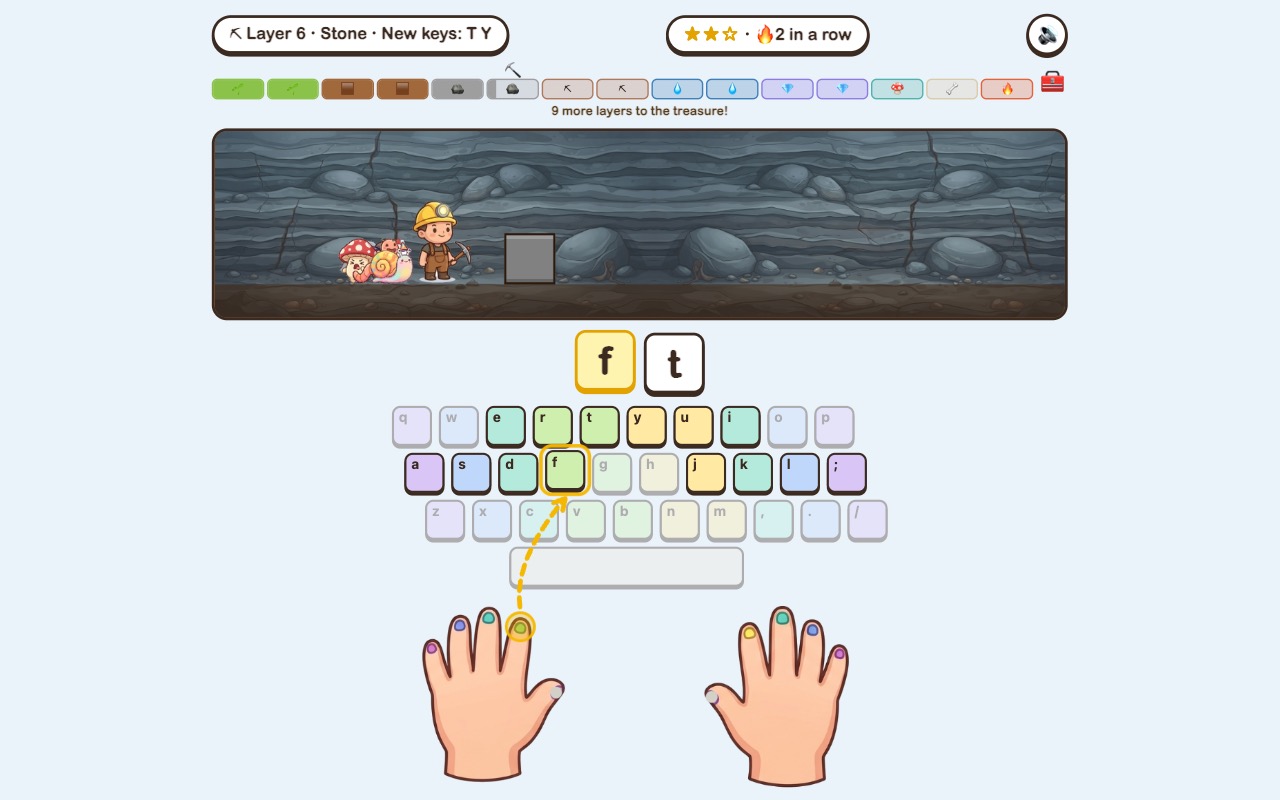
Dig deeper with every letter you type. Typing Treasure teaches kids to type without looking, one small step at a time: it starts on the home row, shows which finger to use for each key, and teaches every letter key on the way down to the treasure.
How to play
- Look at the glowing key and the hand below the keyboard: the lit fingertip shows which finger to use.
- Type the letter. Each correct key digs the tunnel a little deeper.
- Finish the words in each layer to move down to the next one.
- Reach the treasure at the bottom. There is no timer and nothing to lose, so take your time.
Controls
- A computer keyboard (US QWERTY layout)
- Letter keys, comma, period and Space
- Mouse or touch only for the menus and buttons
Why players like it
- Free typing game, no download or sign-in
- Shows which finger to use for every key
- Teaches every letter key, plus comma, period and space
- Calm and untimed: no lives, no Game Over
- Lessons you can start from: home row, top row, bottom row and more
Typing lessons
Questions
Is Typing Treasure free?
Yes. It is free to play in your browser with no download and no account. Your progress is saved in your browser.
Does it work on iPad?
It needs a real keyboard. On an iPad it works with a Bluetooth or Smart Keyboard, but not with the on-screen keyboard alone.
What age is it for?
It is made for children aged about 7 to 12 who are learning to touch type, and it is gentle enough for younger children who know their letters.
Does it teach touch typing?
Yes. Every key is tinted for the finger that presses it, and a glowing fingertip shows the next finger to use, so kids learn proper finger placement from the start.
How can kids learn to type?
Start with the home row, learn a few new keys at a time and practise for ten minutes a day without looking at the keyboard. Typing Treasure follows that order: each layer adds one or two keys and gives real words to type with them.
Can it be used as keyboarding practice at school?
Yes. It runs in any browser with no accounts, and each lesson page links straight to a starting layer, so a class can begin at the home row, top row or bottom row.